
Configure Odoo for your business processes
We select and configure apps, user roles, workflows, documents, notifications, and reports to meet agreed requirements.
Configure Odoo for your business processes
We select and configure apps, user roles, workflows, documents, notifications, and reports to meet agreed requirements.
How APKO configures Odoo
We move from process discovery and requirements through configuration, workflow validation, user preparation, and post-launch support.

Discovery and requirements
We examine existing processes, employee roles, documents, data, and future system requirements. We identify what standard Odoo settings can address and what requires Studio, integration, or custom development.

System configuration
We connect the required applications and configure companies, warehouses, stages, roles, access rights, forms, documents, notifications, and reports. Integrations and custom development follow separately agreed requirements.

Verification and support
We test key workflows with responsible employees, adjust settings, and prepare users. After launch, we support the system and help develop it as new needs arise.
How APKO configures Odoo
We move from process discovery and requirements through configuration, workflow validation, user preparation, and post-launch support.
Discovery and requirements
We examine existing processes, employee roles, documents, data, and future system requirements. We identify what standard Odoo settings can address and what requires Studio, integration, or custom development.
System configuration
We connect the required applications and configure companies, warehouses, stages, roles, access rights, forms, documents, notifications, and reports. Integrations and custom development follow separately agreed requirements.
Verification and support
We test key workflows with responsible employees, adjust settings, and prepare users. After launch, we support the system and help develop it as new needs arise.
Odoo connects apps for sales, purchasing, inventory, projects, service, financial documents, and more. Department structures, employee roles, document stages, and reporting requirements differ between companies. Configuration aligns standard platform features with agreed working practices.
We configure the required apps, permissions, reference data, stages, notifications, and operating rules. If standard features are insufficient, Odoo Studio, integrations, or additional modules are assessed separately. This keeps the architecture clear and avoids unnecessary customization.
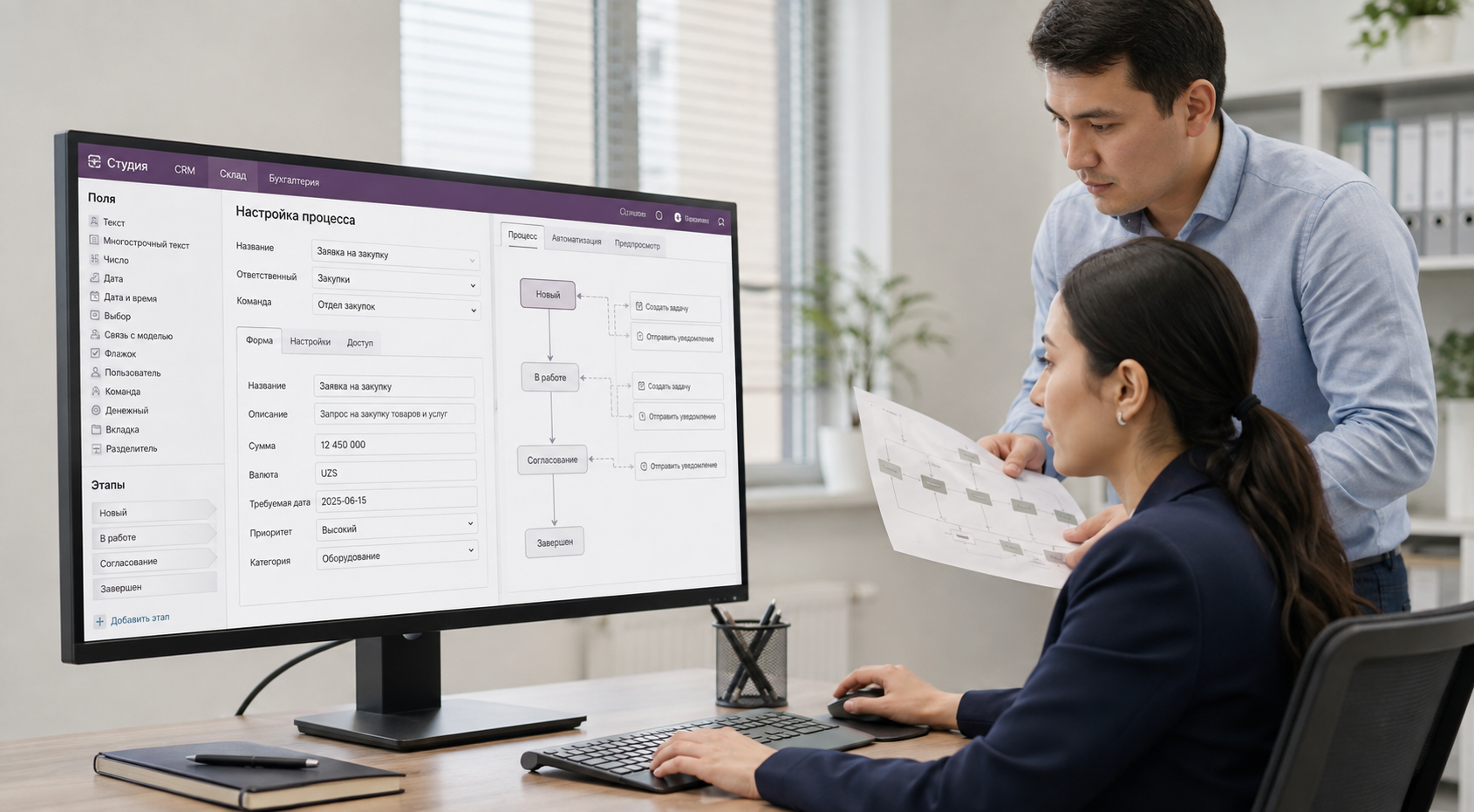
Odoo connects apps for sales, purchasing, inventory, projects, service, financial documents, and more. Department structures, employee roles, document stages, and reporting requirements differ between companies. Configuration aligns standard platform features with agreed working practices.
We configure the required apps, permissions, reference data, stages, notifications, and operating rules. If standard features are insufficient, Odoo Studio, integrations, or additional modules are assessed separately. This keeps the architecture clear and avoids unnecessary customization.
What can be configured in Odoo
Available options depend on installed apps, the Odoo edition, and user permissions. Administrators or responsible employees can change some settings, while complex logic, security, and integrations require specialist analysis and testing.
Before changing settings, define the expected result and test the rule's impact on related documents, data, permissions, and apps.
What can be configured in Odoo
Available options depend on installed apps, the Odoo edition, and user permissions. Administrators or responsible employees can change some settings, while complex logic, security, and integrations require specialist analysis and testing.
Before changing settings, define the expected result and test the rule's impact on related documents, data, permissions, and apps.
For administrators and key users
Email templates
Create reusable notification and correspondence templates with data from related Odoo records.
Workflow stages and Kanban views
Configure stages, processing sequences, and record displays to match agreed working practices.
Roles and access rights
Define the apps, documents, and actions available to employees according to their duties and responsibilities.
Interface language and terminology
Enable required languages and refine labels, translations, documents, and templates to match company terminology.
Approval workflows
Organize request and document handling with assigned owners. Complex routes may require Approvals, Odoo Studio, or additional configuration.
Reports and dashboards
Configure the views, filters, groupings, and metrics employees and managers need for daily monitoring.
With functional and technical specialists
Logistics routes and warehouses
Configure warehouses, locations, operation types, replenishment rules, and routes around company logistics.
Automation and scheduled actions
Create rules that act on events or schedules. Test them against scenarios before launch.
Data security and visibility
Configure groups, permissions, and record visibility so employees access only authorized data and operations.
Integrations and data exchange
Design connections with payment services, carriers, websites, and corporate systems. Define data scope, direction, and error handling for each integration.
For administrators and key users
Email templates
Create reusable notification and correspondence templates with data from related Odoo records.
Workflow stages and Kanban views
Configure stages, processing sequences, and record displays to match agreed working practices.
Roles and access rights
Define the apps, documents, and actions available to employees according to their duties and responsibilities.
Interface language and terminology
Enable required languages and refine labels, translations, documents, and templates to match company terminology.
Approval workflows
Organize request and document handling with assigned owners. Complex routes may require Approvals, Odoo Studio, or additional configuration.
Reports and dashboards
Configure the views, filters, groupings, and metrics employees and managers need for daily monitoring.
With functional and technical specialists
Logistics routes and warehouses
Configure warehouses, locations, operation types, replenishment rules, and routes around company logistics.
Automation and scheduled actions
Create rules that act on events or schedules. Test them against scenarios before launch.
Data security and visibility
Configure groups, permissions, and record visibility so employees access only authorized data and operations.
Integrations and data exchange
Design connections with payment services, carriers, websites, and corporate systems. Define data scope, direction, and error handling for each integration.
What Odoo configuration can address
We identify the required apps, workflows, and user permissions, configure automation and data exchange, and develop the system further according to an agreed plan.

Agreed business scenarios
Stages, statuses, documents, and actions are configured according to the approved process model and employee responsibilities.

A clear, intuitive workspace
Users see the apps, fields, and actions they need, reducing unnecessary information and simplifying everyday work.

Controlled solution scope
The initial scope includes the apps and settings needed for the agreed processes. Additional functionality is introduced after its practical value has been assessed.

Fewer manual steps
Notifications and automation rules can handle repetitive operations. The rules are defined after analyzing the process and its possible exceptions.

External system data exchange
With integrations in place, Odoo can send data to and receive data from other services. Exchange logic is designed around formats, access permissions, and error handling.

Phased development
The system can be extended with additional apps, configuration, and integrations. Before making changes, we assess their impact on existing processes, data, and future upgrades.
What Odoo configuration can address
We identify the required apps, workflows, and user permissions, configure automation rules, and develop the system further according to an agreed plan.
Agreed business scenarios
Stages, statuses, documents, and actions are configured according to the approved process model and employee responsibilities.
A clear, intuitive workspace
Users see the apps, fields, and actions they need, reducing unnecessary information and simplifying everyday work.
Controlled solution scope
The initial scope includes the apps and settings needed for the agreed processes. Additional functionality is introduced after its practical value has been assessed.
Fewer manual steps
Notifications and automation rules can handle repetitive operations. Automations are defined after analyzing the process and its possible exceptions.
External system data exchange
With integrations in place, Odoo can send data to and receive data from other services. Exchange logic is designed around formats, access permissions, and error handling.
Phased development
The system can be extended with additional apps, configuration, and integrations. Before making changes, we assess their impact on existing processes, data, and future upgrades.