
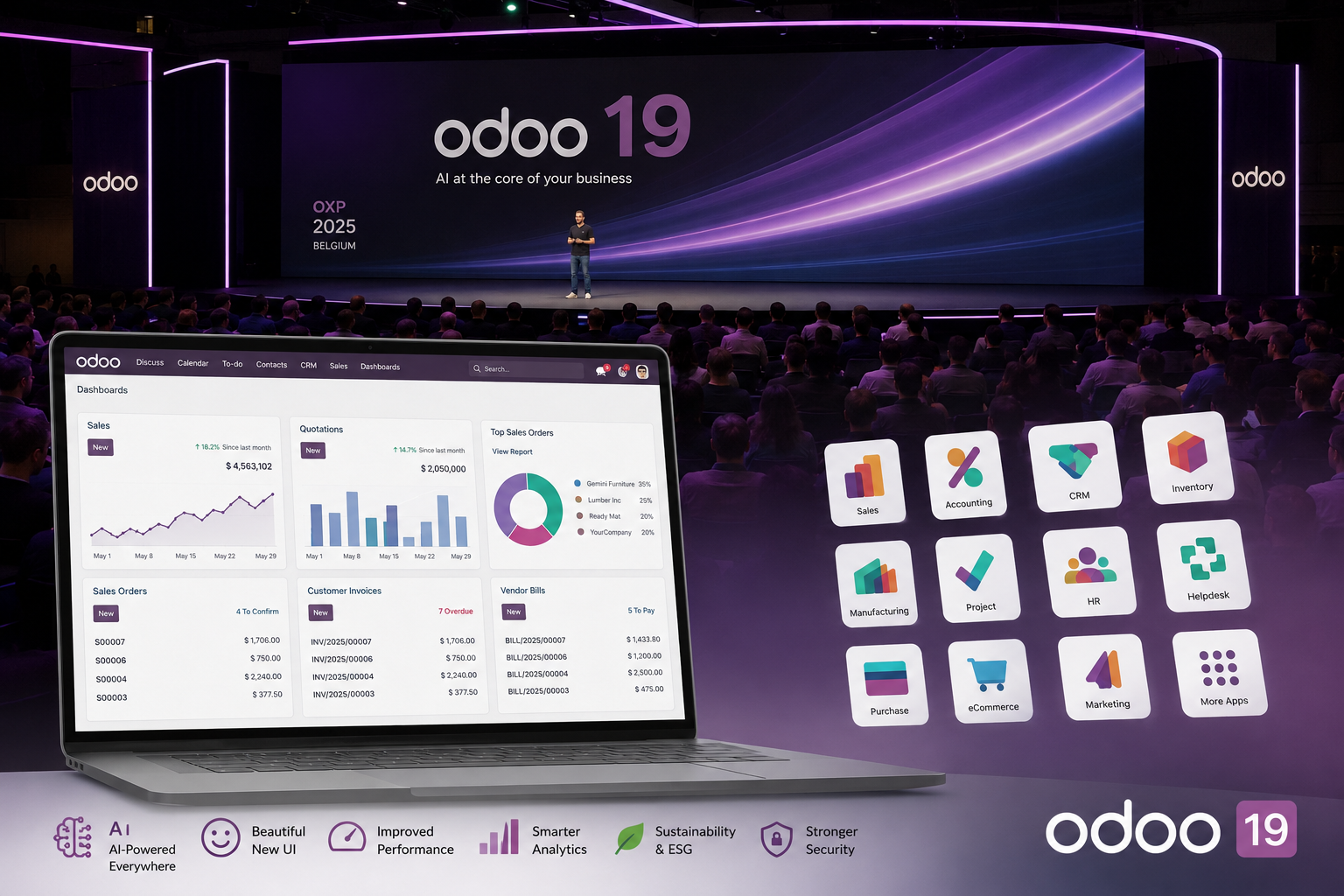
Odoo 18 and Odoo 19: key differences in detail
Many companies ask whether upgrading is worthwhile. It is, and the benefits make a strong case for the move.
User interface and productivity
- Odoo 18 had a stable interface, but Odoo 19 makes it more compact, faster, and more modern. New Kanban layouts, drag-and-drop list items, and intelligent Gantt scheduling make everyday work significantly easier.
- Plan and group activities more flexibly, from today and tomorrow to next week.
Artificial intelligence
- Odoo 18 introduced early AI capabilities, including text generation and automation.
- Odoo 19 goes much further: AI agents, natural-language database queries, automatic field completion, lead generation, meeting transcription, webpage generation, AI commands in email templates, speech-to-text, and more. This makes Odoo 19 the first version with AI truly integrated throughout the workflow.
Core applications
- CRM and sales: in Odoo 19, lead assignment is now rules-based and AI-assisted. Business card scanning and chatbots automatically generate new leads.
- Accounting: new year-end reports, OCR-assisted bank reconciliation, WhatsApp reminders, improved localization, and ISO20022 support simplify international operations.
- HR and payroll: skills management, goal templates, improved absence management, consolidated payroll reports, and automated workflows deliver clear efficiency gains.
Inventory and barcodes
- Odoo 18 already offered reliable warehouse management, and Odoo 19 brings major improvements: A redesigned Barcode app, batch transfers, multistep workflows, cycle counts during operations, automatic replenishment, and closer integration with manufacturing and purchasing.
eCommerce and websites
- Odoo 18 already offered reliable eCommerce tools, but Odoo 19 raises the bar: SEO-ready product pages for rich snippets, Google Merchant Center integration, flexible checkout options, Click & Collect improvements, and new mobile features.
ESG and sustainability
- ESG was not a priority in Odoo 18.
- Odoo 19 introduces a dedicated ESG appthat tracks carbon footprints, emission factors, the Intergovernmental Panel on Climate Change database, and social indicators.
An improved user interface and better performance
- New activity scheduling: create activities directly in My Activities without linking them to a record. Filters such as Today, Tomorrow, This Week, and This Month help prioritize work. Descriptive activity cards improve readability, and completed activities remain in the history.
- Kanban and lists: move stages easily by dragging and dropping. Cards flag records that have been inactive for too long. In lists, drag records to reorder or regroup them.
- Gantt view: smart zoom adapts to the displayed time range. Dependencies are preserved when tasks move, buffer days can be added, and gaps can be collapsed, making planning more realistic.
- Everyday usability: Google Places address completion, out-of-office replies, notification badges, and mobile-friendly buttons improve the user experience.
These changes make Odoo 19 more powerful and much easier to use every day. Teams save time, work more intuitively, and immediately see what matters.
Artificial intelligence in Odoo 19
The biggest update is to AI capabilities, now available across virtually every module:
- AI agents: work with virtual assistants that learn from your Odoo data. They can answer questions and take action, such as creating tasks, updating fields, or sending emails.
- Natural-language search: enter a query in everyday language and Odoo converts it into domain filters.
- Automatic field completion: Odoo suggests field values from existing data or external sources, reducing errors and saving time.
- Email and document assistance: AI drafts emails, improves text, summarizes chat discussions, and inserts commands into email templates.
- Voice and transcription: transcribe meetings in real time, including automatic summaries.
- Web page and content generation: generate landing pages or product pages instantly from prompts, with optimized, SEO-friendly text.
- Artificial intelligence in live chat: AI agents handle initial customer conversations, answer routine inquiries, and automatically generate leads.
These capabilities take efficiency to a new level in Odoo 19: less manual work, faster processes, better data quality, and entirely new automation possibilities.
Core Odoo 19 app improvements
CRM and sales
- Lead capture from business cards: scan a business card and Odoo creates a new lead with the relevant details.
- AI-powered analytics: the system calculates the probability of winning a deal and recommends which leads to prioritize.
- Rules-based lead assignment: leads are automatically assigned to the right employees based on language, region, or priority filters.
- Flexible quotations: Customize sections and hide individual prices or entire sections.
These features make CRM and sales smarter and more data-driven —a major advantage for growth-focused companies.
Accounting and finance
- Simplified bank reconciliation: OCR reads bank statements and AI suggests matching entries. Any discrepancies can be corrected manually.
- Year-end reports: the balance sheet, profit and loss statement, and trial balance are now combined in a standard report.
- WhatsApp reminders and overdue payment reports: follow up on overdue invoices directly through WhatsApp. Overdue payment reports are now separate from account statements.
- Global standards and localization: improved ISO20022 support and new localizations for Asia, South America, and the Middle East.
With these updates, Odoo 19 delivers the highest level of automation and international scalability.
HR and payroll
- Skills and goals management: Create goals from templates and assign them to multiple employees. Linking goals to skills supports personalized development plans.
- Absence and time tracking: A new log clearly shows all absences by month. GPS tracking can be disabled.
- Unified payroll reporting: Consistent reporting across all localizations, including new flexible working schedule rules.
This makes HR management more transparent, flexible, and compliant.
Inventory and barcodes
Odoo 19 introduces a wide range of improvements to inventory management and barcode operationsthat make warehouse processes faster, more reliable, and more scalable:
- Improved Barcode app: the Barcode app has been redesigned for more reliable use on mobile devices and scanners. Receiving, internal transfers, and order picking are now faster and less prone to errors.
- Multistep logistics processes: workflows such as receiving → quality inspection → storage or picking → packing → shippingcan be configured easily and fully automated with barcode scanning, giving you better control over complex operations.
- Batch transfers and cluster picking: pick multiple orders in one run to significantly improve efficiency in busy warehouses.
- Cycle counts during operations: inventory counting is now more flexible and can run during ongoing operations without shutting down entire warehouse zones.
- Automated replenishment: minimum stock rules and reordering logic can now be combined with barcode actions to maintain optimal stock levels on shelves and in bins.
- Manufacturing and procurement integration: barcode scanning is more closely connected to manufacturing and purchasing, providing clear visibility into material movements at every stage.
Project
Odoo 19 makes project delivery significantly easier from start to finish:
Project templates with roles and stages: create projects from templates that automatically add the right tasks, stages, and assignees, ideal for recurring service offerings.
Calendar and Gantt chart: drag tasks into the calendar and use an enhanced Gantt chart with dependencies and buffers for realistic planning.
Scalable timesheets: team members can quickly add multiple timesheet entries, improving adoption and accuracy.
AI-powered automation: Define workflow actions, such as assigning the right specialist, updating fields, or notifying stakeholders, and give AI clear rules for carrying them out. This reduces manual routing.
Projects start sooner, planning runs more smoothly, and delivery dates become more predictable. Less manual work lets your specialists spend their time creating value instead of handling routine tasks.
Point of Sale (POS)
Retail and restaurant businesses benefit from major usability and operational improvements:
- Service mode presets: configure presets for dine-in, takeaway, and delivery, including price lists, fiscal positions, preparation options, identification requirements, and scheduling, to reduce clicks and prevent errors.
- Kitchen coordination: organize orders by course and fire courses in sequence from POS, keeping kitchen displays up to date.
- QR code self-ordering: create and print table QR codes. Mobile menus support dine-in, takeaway, and delivery, with allergen information drawn from product data.
- Combo order rules: define how many items customers can select in a combo and which are free.
- Limited access permissions: seasonal staff can be restricted from sensitive actions, such as opening shifts, cash in/out, and discounts.
- Broad delivery platform support: integrations with Takeaway, Careem, Grubhub, Deliveroo, and others (see video).
- Faster in-store checkout: quick payment buttons enable one-click payment.
Better service and higher revenue: Shorter lines, smoother kitchen operations, and thoughtful upselling make guests happier and increase average order value.
Spreadsheet
Odoo 19 turns spreadsheets into a fully featured business intelligence tool:
- New chart types: radar charts (Radar), geographic charts (Geo), sunburst charts (Sunburst) and treemaps (Treemap) for visualizing hierarchical and geographic data.
- Dynamic pivot tables: collapse and expand rows and columns, sort by measure, and filter numbers by criteria.
- Command palette and pinned side panels: work faster with Cmd / Ctrl + K and use multiple panels at once.
- Mobile-first: spreadsheets are fully accessible on mobile devices.
- Import clarity: after an import, such as contacts, Odoo immediately displays the newly added records. Use the breadcrumbs to return to the full list.
Why it matters: move from idea to implementation faster across finance, operations, and analytics teams, without leaving Odoo.
Documents
The document workflows behind your operations are getting smarter:
- AI-powered organization: describe sorting rules in natural language. Odoo automatically organizes contracts, insurance documents, and more, assigning owners.
- Email-to-PDF conversion: emails without attachments sent to an alias are automatically converted to PDF for easy viewing, storage, and search.
- Universal preview and quick actions: preview HTML, PDF, TXT, XML, and other formats. Share, download, rename, and view details in one click.
- Deep integration with apps: insert files from Documents anywhere in Odoo with a slash command. Accounting and audit reports can include attachments directly from Documents.
File management becomes effortless, audits run more smoothly, and everyone can find the right file in seconds. Less administration, more productivity.
Electronic signatures (Sign)
Close deals and sign agreements more easily:
- Updated interface: a cleaner layout and simpler setup of multiple signers directly within the document.
- Multidocument envelopes: upload multiple PDFs at once. Odoo combines them into one envelope for recipients to sign in a single session. Set the order and add the required fields.
- Productivity tools: copy and paste fields between templates, autofill common fields, support for digital certificates; and signature requests through WhatsAppwhere available.
- Progress indicator for external signers: After signing a document, users immediately see how many documents remain to be signed.
Approve in a click, let customers sign documents with ease, and free your team from paperwork.
eCommerce and websites: SEO, conversion, and customer experience
- SEO optimization: product pages now support Google's rich search results. URLs have been refined to prevent duplicate content.
- Google Merchant Center integration: synchronize products automatically for Google Shopping campaigns.
- Improved checkout: mobile-first checkout, Click & Collect with separate stock tracking, and more flexible payment options.
- New product layouts and display options: carousels, grids, advanced filters, and improved image handling.
With these improvements, your Odoo online store will offer a more attractive design while becoming more visible on Google and more profitable.
ESG and sustainability: a new chapter in Odoo 19
- CO₂ emissions: comprehensive emissions reports aligned with the GHG Protocol and Bilan Carbone.
- Emission factors: automatic calculations based on spend or quantities, such as euros or kilograms, or data imported from certified databases.
- IPCC integration: international standards support maximum accuracy.
- Social indicators: gender pay gap reports, diversity indicators, and departmental statistics.
The ESG app makes sustainability an integral part of your ERP system and everyday operations.
Conclusion: why upgrade to Odoo 19 now
Odoo 19 offers:
- A modern interface and improved performance
- Comprehensive AI capabilities
- Streamlined core applications for CRM, accounting, and HR
- Industry solutions for every business model
- A new level of SEO and eCommerce
- ESG reporting as a competitive advantage
This makes Odoo 19 the most complete and innovative version to date. Companies upgrading from Odoo 18 to Odoo 19 immediately gain greater efficiency, visibility, and readiness for the future.
Contact us today to see how Odoo 19 can address your business needs.